


ClearBridge Explore 26 Demo Sessions: Tech in Action
See how ClearBridge engineers actually run VMware Cloud Foundation 9.1 in production:
home labs, air-gapped depots, self-service provisioning, and multi-site rollouts
Live at Booth #111

Devyn Harrington, Practice Manager, Broadcom Knight
Building VMware Cloud Foundation 9.1 in a Single-Host Home Lab: Automation, Troubleshooting, and Lessons Learned
Tuesday, September 1st, 4:30 PM, Wednesday, September 2nd, 1:00 PM
Who Should Attend: VMware administrators, VCF architects and engineers, VMUG members, certification candidates, and anyone interested in building a home lab, nested virtualization, or VCF automation.
Key Takeaways:
- How he designed a complete VCF 9.1 home lab around one physical host
- How NVMe Memory Tiering made the design possible
- How he customized William Lam’s automation to deploy six nested ESXi hosts
- How he troubleshot NSX, CPU sizing, IP planning, and VCF Automation issues
- How certification, VMUG Advantage, community resources, and Broadcom Knights helped support the journey

Chelsea Bumgarner, Architect, Broadcom Knight
Creating an Offline Depot with Ubuntu & NGINX
Monday, August 31st, 6:00 PM
Build a fully functional VMware Cloud Foundation 9.1 offline depot from scratch.
This hands-on demonstration covers Linux and NGINX configuration, dedicated repository storage, HTTPS and certificate trust, authentication, VCF Software Depot registration, the VCF Download Tool, VCF and ESXi lifecycle binaries, metadata validation, and integration with the VCF Installer. Along the way, we’ll examine the common DNS, certificate, storage, authentication, and manifest issues that can prevent offline deployments from working, providing attendees with a repeatable approach for disconnected and restricted environments.
Who Should Attend: Customers in restricted environments, air-gapped networks, or looking to house their binaries onsite for faster implementation.
Key Takeaways:
- Build an HTTPS-based VCF 9.1 offline depot from scratch
- Properly size and configure dedicated depot storage
- Configure DNS, NGINX, TLS certificates, and Basic Authentication
- Generate and register a VCF Software Depot ID
- Use the VCF Download Tool with the VCF 9.1 Activation Code
- List and download VCF installation binaries
- Download ESXi lifecycle and upgrade content for offline use
- Understand the VCF depot metadata and repository structure
- Establish certificate trust between the depot and VCF Installer
- Validate manifests and Product Version Catalog metadata before deployment
- Troubleshoot common offline-depot and Lifecycle Management failure
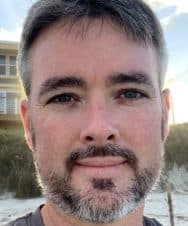
Jeremy Forguson, Architect, Broadcom Knight
Self-Service Nested VCF 9 Labs: From Service Desk Ticket to Running Environment
Tuesday, September 1st, 3:45 PM, Wednesday, September 2nd, 10:00 AM
Two self-service requests deliver a complete nested VCF 9 lab. This four-minute walkthrough follows the whole path: a scheduled workflow allocates lab capacity from a request queue, access is granted through pre-wired projects and groups, NSX segments are built with trunk-capable profiles at request time, and the nested stack boots itself before first login.
Who Should Attend: VCF architects, orchestrator/automation developers, NSX engineers, platform leads, and partner and service provider teams
Key Takeaways:
- How a user requests and receives a complete nested VCF 9 lab on their own
- How limited lab capacity is shared out fairly, with people told where they are in the queue
- How the tricky networking that nested VCF depends on gets built automatically — the part most people get wrong
- How the lab powers itself up in the right order, so it is ready before the user logs in

Sam Pooni, Architect
VCF 9.1 Greenfield, Two Sites, Zero Drama: A Live Fleet Deployment Walkthrough
Tuesday, September 1st, 1:00 PM, Wednesday, September 2nd, 2:00 PM
A walkthrough of a real two-site VCF 9.1 greenfield build — one instance per site, managed as a fleet — from rack to running workload domains. Covers the inputs that decide whether day one goes smoothly, the two mistakes that cost the most time, the workbook discipline that fixed them, cross-site connectivity, and migrating an existing vSphere with Tanzu environment into the new fleet.
Who Should Attend: Infrastructure architects, VCF admins, and partner/PS engineers planning a 9.x greenfield or multi-site build; platform teams moving from vSphere with Tanzu to VKS.
Key Takeaways:
- The pre-install inputs to get signed off before hardware arrives, and who owns each
- Two failures you can catch on paper: BOM vs. rack hardware for HCL, and Installer IP ambiguity
- How a two-site fleet is laid out in 9.1 (one instance per site, NSX/MP-BGP, L2 bridge + cross-vCenter vMotion)
- A “never invent a value” workbook model with owners and generated Installer JSON
- Three migration classes: K8s redeploy, VM vMotion over L2 bridge, single-instance jobs stopped at source
Need help in adopting VCF?
ClearBridge is your delivery partner of choice.
Looking to expand your career?
Join our VM Practice Center of Excellence